3.4″ ROUND TOUCH · COMMUNITY PREVIEW

PlaneSlate Mini.

More room for your local sky.

Aircraft details, a touch-selectable radar and traffic statistics on an 800 × 800 display. Your liveries and catalogs stay on the memory card.

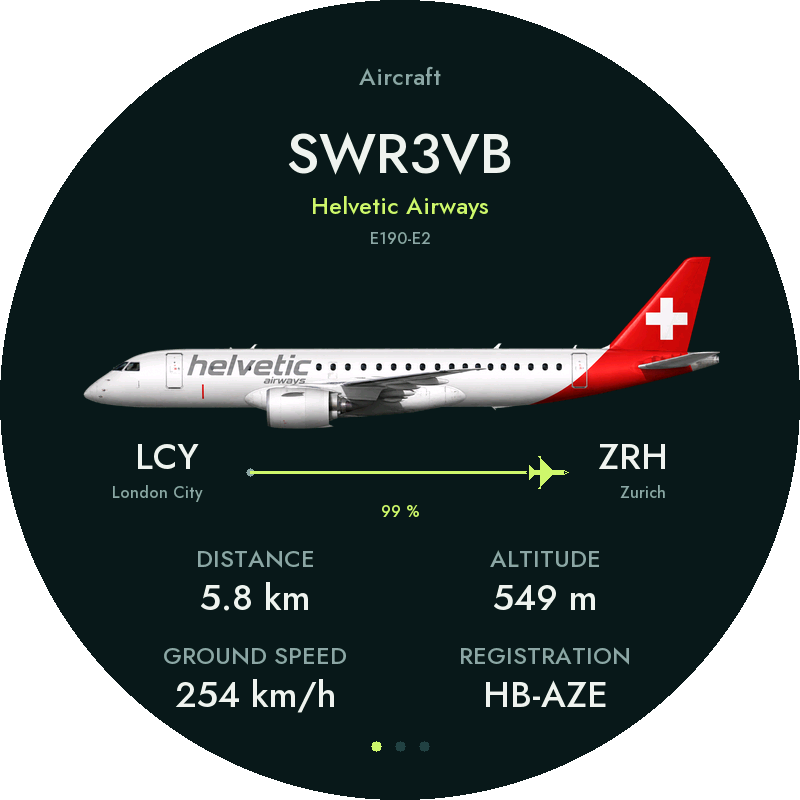
PlaneSlate Mini Aircraft screen
Software example, not a hardware photograph.

AIRCRAFT · RADAR · STATISTICS

More detail. At a glance.

PlaneSlate Mini Aircraft details example

Aircraft details

A generous view of airline liveries, telemetry and available route details.

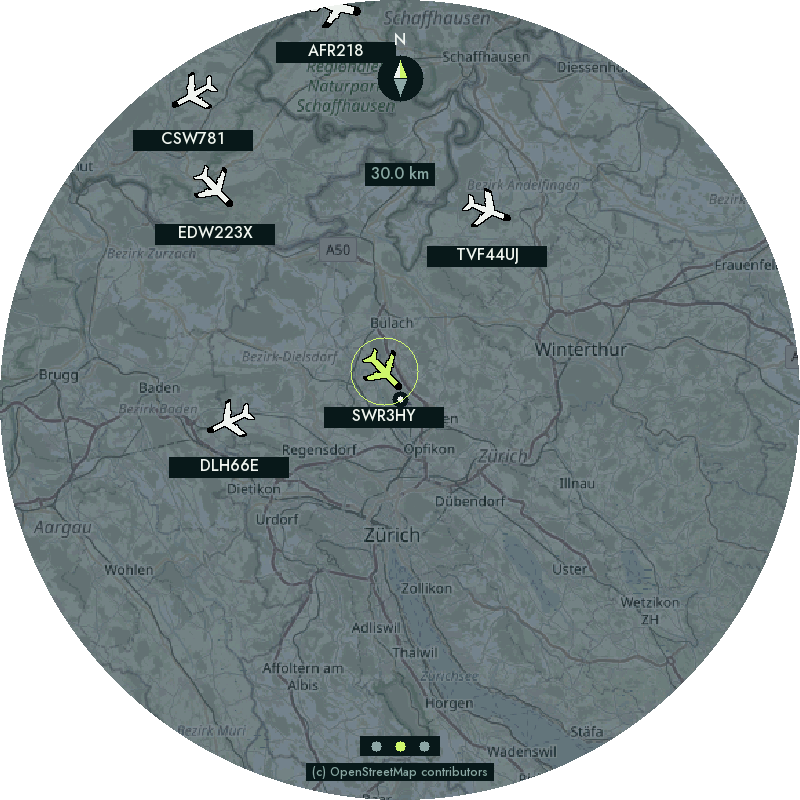
PlaneSlate Mini Local radar example

Local radar

Tap aircraft for details and swipe between screens.

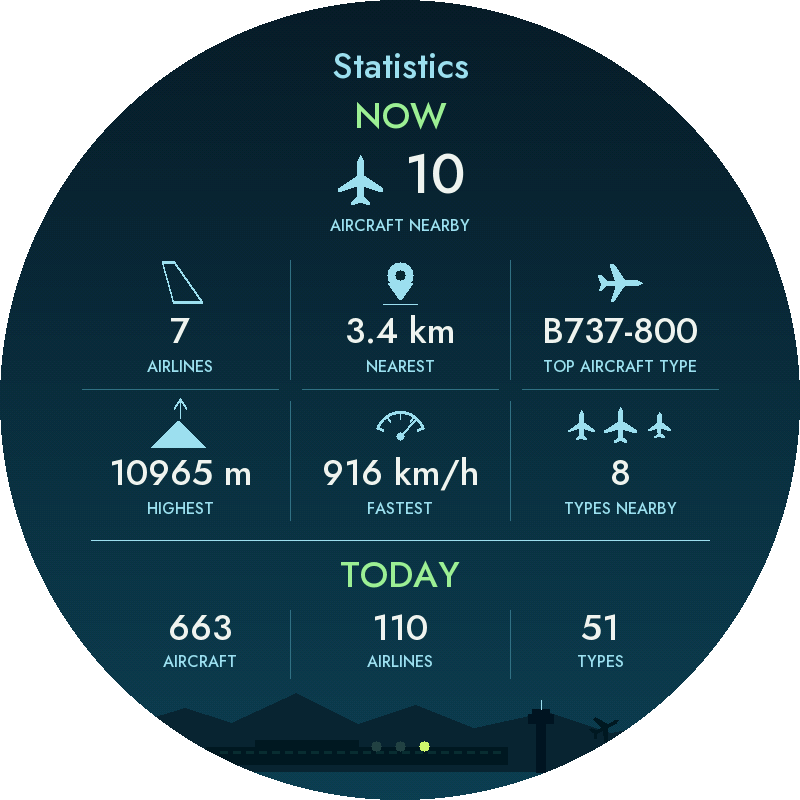
PlaneSlate Mini Traffic statistics example

Traffic statistics

Nearby traffic and today’s activity on the larger display.

PlaneSlate Mini software screenshots. Touch zoom and map dragging are disabled; aircraft selection remains available.

Both Micro and Mini support watchlists, Special Aircraft, configurable selection and the same four map styles.

See the map styles ↗

01 / PARTS LIST · READY-MADE HARDWARE

Everything starts
with one board.

Waveshare 31523 3.4-inch round touch display, front view with the manufacturer’s demonstration image
Product photo: Waveshare
Manufacturer demo screen.

THE HEART OF YOUR MINI · 1 ×

Waveshare 31523.

An 800 × 800 round touch display and ESP32 controller, together on one board.

ESP32-P4-WIFI6-Touch-LCD-3.4C

Choose 3.4C / SKU 31523 with the 800 × 800 IPS touch display, not the 4-inch version.

POWER · 1 ×

USB power supply

A USB-C power supply for daily use. The linked options provide 5–5.1 V / 3 A, with a US, UK or European plug and an attached USB-C cable.

About the purchase links

Regional accessory product pages were reviewed on 18 October 2026. The AliExpress microSD card link opens a specific listing supplied by the project owner; display links open specific listings; USB cable links open targeted product searches. Check the exact board version, card capacity, data support, mains plug, availability, shipping and import costs before ordering. All links are non-affiliate; PlaneSlate earns no commission.

INSTALLATION

From your desk.
To your local sky.

CONNECT
INSTALL
PERSONALIZE

  1. Connect your hardware

    Use Waveshare 31523 / ESP32-P4-WIFI6-Touch-LCD-3.4C. Insert a FAT32-formatted microSD card and connect the board to your computer with a USB data cable. Keep USB accessible until setup is complete.

  2. Install the firmware

    Open the Web Installer, choose PlaneSlate Mini, then select Connect & install firmware. Keep USB connected through verification and restart. The first start can take a little time.

  3. Bring your sky to life

    Continue with step 3 in the installer. Images, aircraft, airlines and registration mappings are installed together. Wait for file verification and the completion message before disconnecting.

  4. Make it yours

    In step 4, select Wi-Fi and your radar location. Customize the display if you like, then save. Later, use the device’s local WebUI for settings and display previews.